

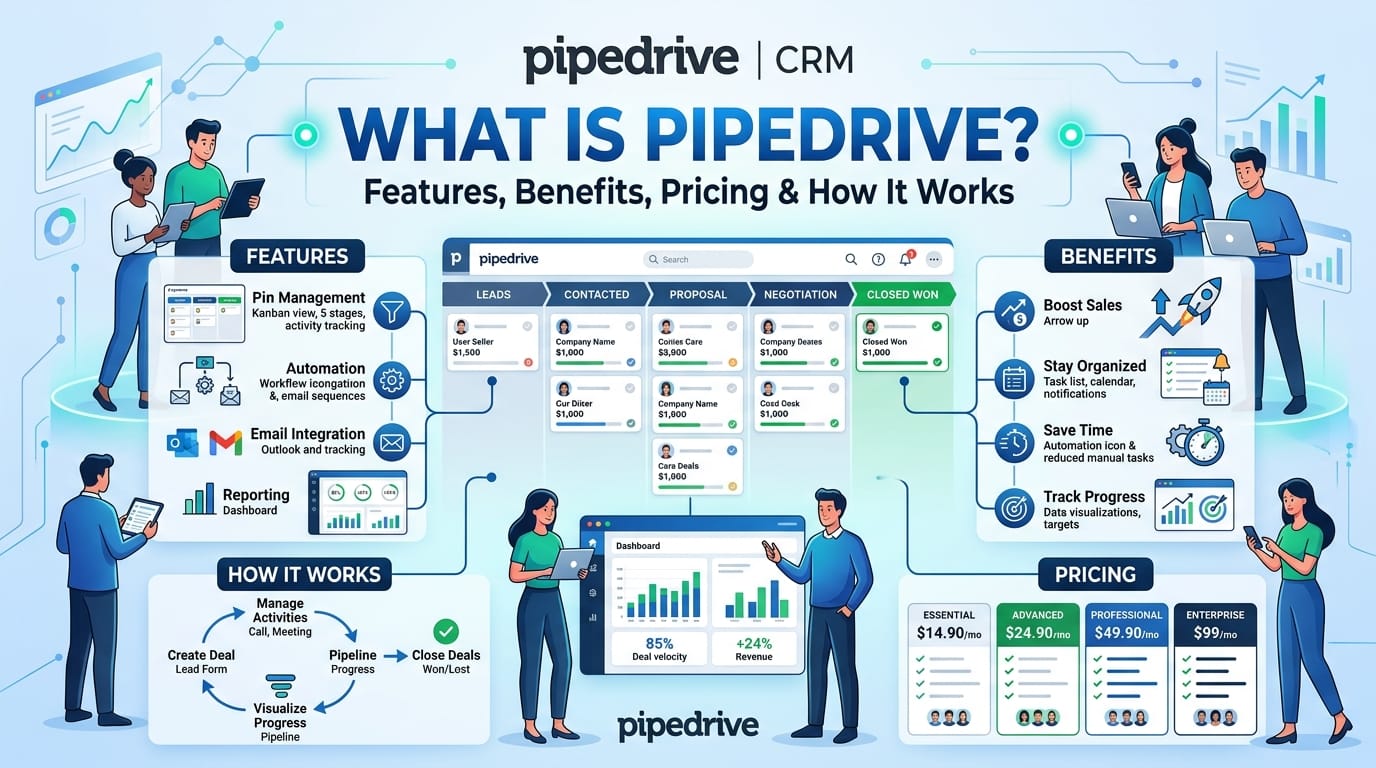
What Is Pipedrive? 8 Features, Benefits, Pricing & How It Works
In today’s competitive sales environment, businesses need more than a basic contact database to manage customers and close deals. Sales teams need a system that helps them organize leads, track opportunities, automate repetitive tasks, and understand where every deal stands. Pipedrive is a popular sales CRM platform designed to help businesses manage their sales processes through a visual and easy-to-use pipeline.
What Is Pipedrive?
Pipedrive is a sales-focused customer relationship management (CRM) platform that helps businesses manage leads, contacts, deals, and sales activities. It is built around a visual sales pipeline, allowing sales representatives to see their opportunities and move deals through different stages of the buying process.
Instead of keeping sales information across spreadsheets, emails, and separate applications, teams can use Pipedrive to organize important customer information in one centralized system.
The platform is particularly focused on sales pipeline management. Users can create customized stages that reflect their sales process, add deals to the appropriate stage, schedule activities, and monitor progress toward their sales goals.
How Does Pipedrive Work?
Pipedrive works by organizing sales opportunities into a visual pipeline. Each deal represents a potential sale and moves through predefined stages as the sales process progresses.
For example, a business might create stages such as:
- New Lead
- Contacted
- Qualified
- Proposal Sent
- Negotiation
- Won
- Lost
Sales representatives can move deals between stages as conversations and activities progress. This provides an immediate overview of which opportunities require attention and which deals are close to completion.
Pipedrive can also connect contacts, organizations, activities, emails, notes, and other sales information with individual deals. This gives salespeople a clearer view of their interactions with potential and existing customers.
Key Features of Pipedrive
- Visual Sales Pipeline
The visual sales pipeline is one of the core features of Pipedrive. It provides a straightforward way to monitor deals throughout the sales cycle.
Sales teams can customize pipeline stages according to their business processes. This makes it easier to identify stalled opportunities, prioritize activities, and understand the overall condition of the pipeline.
- Lead Management
Pipedrive provides tools for organizing and managing leads. Sales teams can capture potential customers, store relevant information, and track interactions as prospects move toward becoming customers.
A structured lead management process can help businesses reduce missed opportunities and ensure that sales representatives know which prospects require follow-up.
- Contact Management
With Pipedrive, businesses can organize customer and prospect information in one place. Contact records can contain details about people, companies, deals, activities, and communications.
This centralized information can make it easier for sales representatives to understand customer relationships without searching through multiple systems.
- Sales Automation
Sales automation is another important capability of Pipedrive. Teams can automate repetitive activities and workflows, such as creating follow-up tasks, updating deal information, or triggering actions when a deal reaches a specific stage.
Automation can reduce manual administrative work and allow salespeople to spend more time on customer conversations and revenue-generating activities.
- Email Integration
Pipedrive can integrate email communication with sales workflows. Depending on the setup and connected tools, sales teams can synchronize relevant email conversations with customer and deal records.
This helps representatives maintain context around customer interactions and reduces the need to switch between multiple applications.
- Sales Reporting and Analytics
Sales managers need accurate information to understand performance and identify areas for improvement. Pipedrive provides reporting and analytics features that can help businesses monitor sales activities, deal progress, conversion trends, and other performance indicators.
Sales reports can help managers identify bottlenecks and evaluate whether teams are moving toward their revenue objectives.
- Workflow Automation
Pipedrive allows teams to create workflows for recurring sales processes. For example, a business could set up an automated task whenever a new deal enters a particular pipeline stage.
Workflow automation can help create consistent processes and reduce the risk of important sales activities being forgotten.
- Mobile Access
Sales representatives are not always working from a desktop. Pipedrive offers mobile access that allows users to manage customer information, review deals, update activities, and stay connected with sales operations while away from the office.
This can be particularly useful for salespeople who frequently travel or meet customers outside the workplace.
Benefits of Using Pipedrive
Better Sales Organization
One of the biggest advantages of Pipedrive is its focus on sales organization. Teams can manage leads, deals, activities, and contacts within a structured environment.
Instead of relying heavily on spreadsheets or disconnected notes, sales representatives can work from a centralized sales system.
Improved Pipeline Visibility
A visual sales pipeline makes it easier to understand where opportunities are in the sales process. Managers can identify deals that are progressing, opportunities that need attention, and prospects that may have become inactive.
Reduced Administrative Work
Automation can reduce repetitive sales tasks. When routine activities are automated, sales representatives can dedicate more time to prospecting, customer engagement, and closing opportunities.
Easier Sales Forecasting
Sales data can provide valuable insight into expected revenue and pipeline performance. Businesses can use CRM reporting to evaluate opportunities and develop more informed sales forecasts.
Scalable Sales Management
As a company grows, managing customer information manually can become increasingly difficult. Pipedrive provides a structured system that can support sales teams as their processes become more complex.
Pipedrive for Small Businesses
Small businesses often need to manage sales efficiently without creating unnecessarily complicated processes. Pipedrive can provide a centralized CRM environment where small teams can organize leads, track deals, schedule activities, and monitor sales performance.
For a small sales team, the visual pipeline can make it easier to understand what needs to happen next for each opportunity.
Businesses can also customize their sales pipeline to match their particular sales cycle rather than forcing every opportunity into the same generic process.
Pipedrive for Sales Teams
Sales teams can use Pipedrive to create a more structured approach to prospecting and deal management.
Sales representatives can use the platform to:
- Track potential customers
- Manage sales opportunities
- Schedule follow-up activities
- Organize customer information
- Monitor deal progress
- Automate repetitive workflows
- Analyze sales performance
Sales managers can also use reporting tools to gain visibility into team activities and pipeline performance.
Pipedrive Pricing
Pipedrive pricing is based on subscription plans, with different tiers offering varying levels of functionality. Pricing and included features can change over time, so businesses should check Pipedrive’s official pricing page for the latest plans, limits, and available features.
When evaluating the cost of Pipedrive, companies should consider more than the subscription price. The overall value can depend on the number of users, required integrations, automation needs, reporting requirements, and the complexity of the company’s sales process.
Businesses should compare the features available in each plan with their actual sales requirements before selecting a subscription.
How to Use Pipedrive Effectively
Getting value from Pipedrive requires more than simply adding contacts to the CRM. Businesses should establish a consistent sales process and configure the platform around their actual workflow.
Step 1: Define Your Sales Pipeline
Start by identifying the main stages of your sales process. Keep the stages clear and meaningful so representatives know exactly when a deal should move forward.
Step 2: Add Leads and Contacts
Import or add relevant prospects and customer information. Keep contact records organized and up to date to ensure sales representatives have accurate information.
Step 3: Create Sales Activities
Schedule calls, meetings, demonstrations, follow-ups, and other activities directly within the CRM. This helps salespeople maintain momentum throughout the sales cycle.
Step 4: Automate Repetitive Tasks
Identify repetitive processes that can be automated. Simple workflow automation can help reduce administrative work and improve consistency.
Step 5: Monitor Performance
Use reports and dashboards to monitor sales activities, pipeline health, conversion trends, and revenue-related metrics. Regular analysis can help managers identify areas where the sales process needs improvement.
Pipedrive Integrations
Modern sales teams often use several applications for communication, marketing, customer support, accounting, and productivity. Pipedrive can connect with other business tools through integrations and its broader ecosystem.
These integrations can help businesses connect CRM data with other parts of their technology stack and reduce repetitive data entry.
Before selecting an integration, businesses should check compatibility, available features, data synchronization capabilities, and any additional costs.
Please Visit Official website
You can also read
B2B Lead Generation Strategies for Small Business